


Start Tracking Overtime
in Under 60 Seconds
No sign-up, no complicated setup. Download, set your rate, and watch your earnings grow in real-time. Built for shift workers who don't have time to waste.
How Overtime Live Works
From download to live earnings tracking in four steps. No account required.
Download the App
Free on iOS and Android. No account, no sign-up, no email verification. Just download and open.
Set Your Hourly Rate
Enter your hourly rate directly, or use the built-in calculator to convert from your annual salary. Set overtime multipliers — 1.5x, 2x, or custom.
Start Your Shift
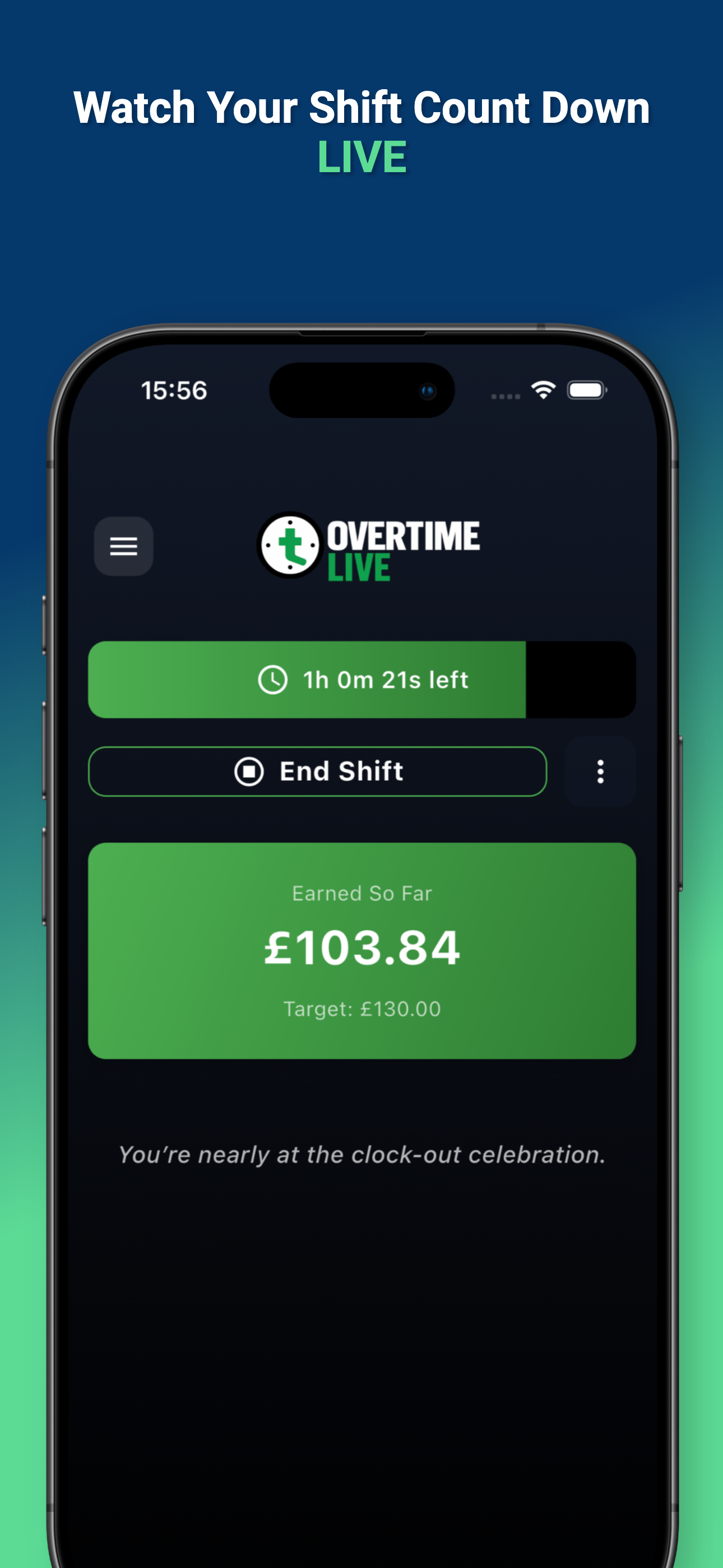
Hit start when your shift begins. Your earnings count up second by second in real-time. Change rates mid-shift if needed — the app handles the maths.
View Earnings on Your Lock Screen
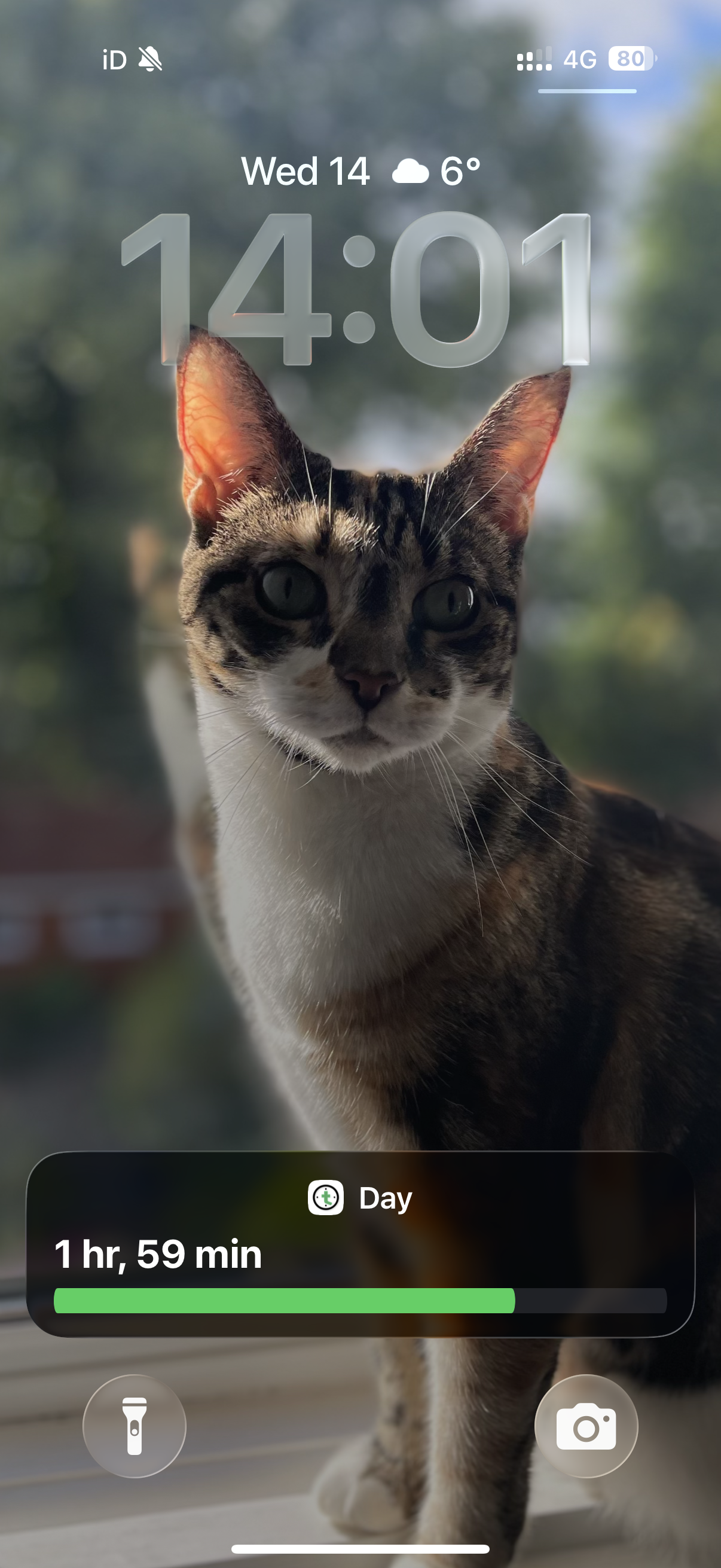
Your live earnings appear directly on your iPhone Lock Screen and Dynamic Island. No need to open the app — just glance at your phone.
See Your Earnings Without Opening the App
Overtime Live is the only overtime tracker that shows your live earnings on your Lock Screen. Using iOS Live Activities and Dynamic Island, your real-time earnings are always visible — even when your phone is locked.
This solves a pain point every shift worker knows: constantly unlocking your phone to check how much you've earned. With Overtime Live, just glance down.
- Real-time earnings update on Lock Screen
- Dynamic Island support (iPhone 14 Pro+)
- Live shift countdown visible at a glance
- Zero battery drain — uses native iOS APIs
- No other overtime tracker offers this feature
How We Compare
Built specifically for shift workers, not repurposed from generic time tracking.
| Feature | Overtime Live | Spreadsheets | Generic Trackers |
|---|---|---|---|
| Real-time earnings (second by second) | Yes | No | No |
| Lock Screen Live Activities | Yes | No | No |
| No account / sign-up required | Yes | Yes | No |
| Mid-shift rate changes | Yes | Manual | No |
| Gamified achievements | Yes | No | No |
| Shift pattern builder | Yes | Manual | Some |
| 100% free | Yes | Yes | Freemium |
| Data stays on your device | Yes | Cloud | Cloud |
Common Questions
How long does it take to set up Overtime Live?
What makes the Lock Screen earnings feature unique?
Can I use different overtime rates during a single shift?
Does Overtime Live work on Android?
Ready to Track Your Overtime?
Free to download. No account required. Start tracking in seconds.